Inventory management expert Scott Dreisbach explains a better method for analyzing vehicle inventories
here are two easy calculations that are very important when analyzing inventories that will directly help any store increase its vehicle turnover. One is touted to be very well understood by managers and is used by most stores. That one is days supply – units. The more important calculation, and the one that is not commonly used, (most don’t even know how to calculate it) is days supply – dollars.
Days Supply – Units
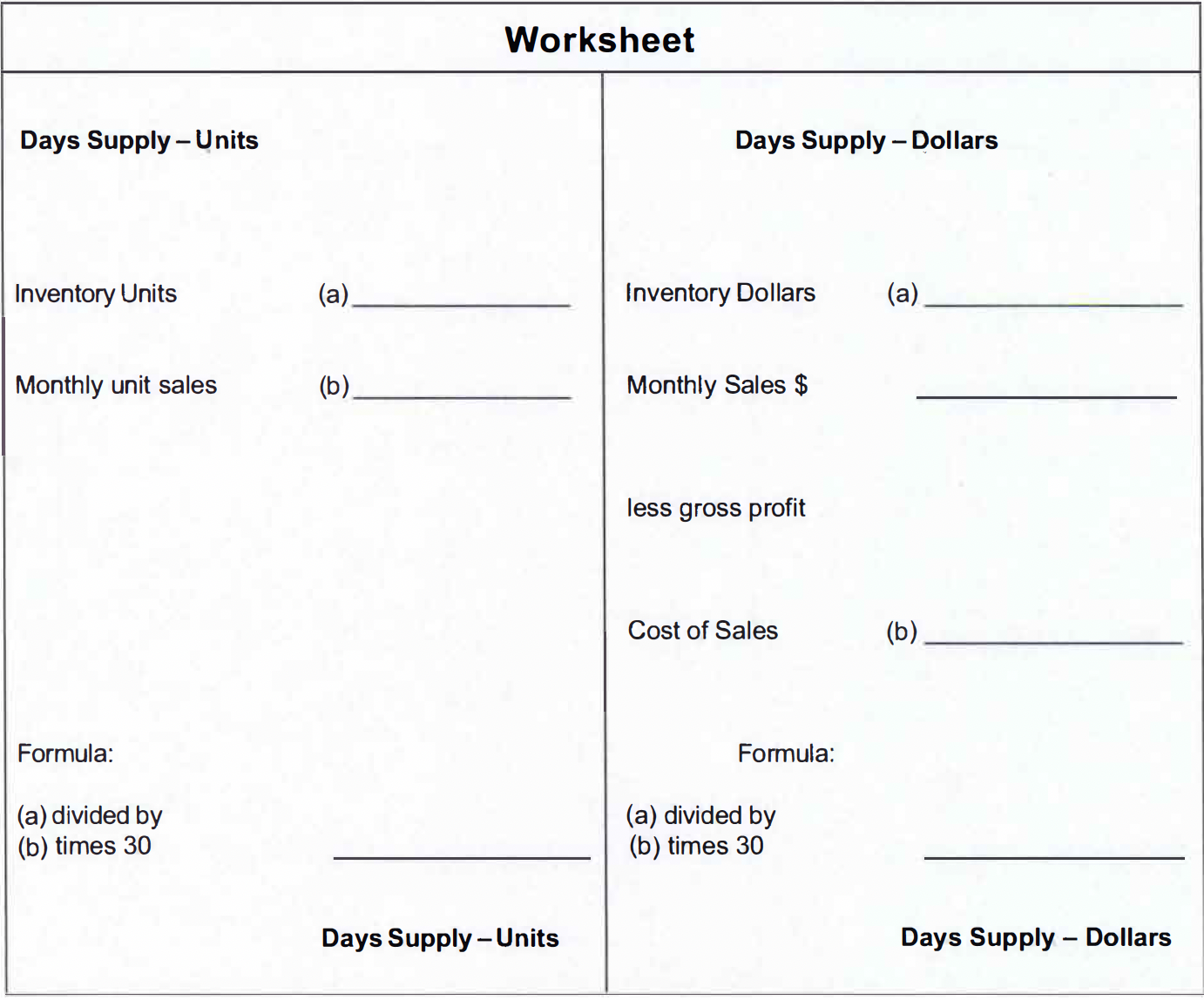
As units travel into and out of our vehicle inventories it is easy to determine our sales rate of these units and compare the travel rate to the inventory and determine a days supply of vehicles. The formula is straight forward and simply is: inventory units divided by unit sales (per month) times 30 equals days supply of units. Example:
Inventory units = 50
Monthly sales = 25
Calculation: 50 / 25 x 30 = 60 day supply of units
In any inventory management system you set up, (and l strongly advocate some sort of inventory management system) you need to know this calculation by each and every individual model within each sales category. Chevrolet Silverados for example may calculate to an acceptable days supply in total but when the calculation is applied to the 12 ( or more) individual types of Silverado’s you may stock, large differences can exist that would go unseen if not calculated individually. The same concept holds true for used vehicle inventories. If we just calculate the days supply for used cars and used trucks we will not see the true picture. You need to look at each category of used cars and trucks and then each model year within each category. 1 use the following 10 sales categories and the 8 most recent model years within each category. Small Cars, Sporty Cars, Mid-size Cars, Full-size Cars, Small Trucks, Small Sport Utilities, Full-Size Trucks, Large Sport Utilities, Mini Vans and Regular Vans.
Days Supply – Dollars
Dollars are also traveling into and out of our inventories and I have found it to be very revealing to not only calculate the days supply of dollars, but also compare the unit days supply to the dollar days supply. The closer these two numbers are to each other, the more active your inventory will be. First the formula: Inventory dollars divided by average month cost of sales dollars times 30 equals days supply of dollars. Example:
Inventory dollars = $500,000
Cost of sales = $200,000
Calculation: $500,000 / 200,000 X 30 = 75 days supply of dollars
Now For the Comparison:
In this particular unit-days vs. dollar-days example, we see that overall, we have a 60 days supply of units and a 75 days supply of dollars. Since we have a fairly sizeable gap between unit-days and dollar-days, what does it mean? Stated simply, we are stocking too high a priced vehicle for what our market is calling for. Here is how that is determined and verified.
Inventory dollars = $500,000
Inventory units = 50
Average investment per unit in inventory = $10,000
Cost of sales = $200,000 (sales minus gross = cost of sales)
Units sold = 25
Average cost of sales that have been delivered = $8,000
As stated above, both of these calculations need to be made by individual models within each sales category. If you take the time to do this, you will be amazed at what you will find. The sample below is a before and after picture represented in a visual display of unit-days vs. dollardays by sales category. This data is real and is one of my clients who was trying to grow his Retail used vehicle business.
Conclusions: In the above example, when we compare unit-days to dollar-days, we can see that our customers are taking out of our inventory, on average, $8,000 units. We are stocking, on average, $10,000 units. The wider the gap between what our customers want
(those units we are delivering) and what we are stocking, the slower the turnover rate will be. Conversely, the closer the gap between what we have and what the customers want, the greater the rate of turn will be.